
Subway Quest
Event-driven mobile application powering a first-party analytics pipeline


Overview
Riding the subway becomes a running list of things left to discover: stations you haven't stood on yet, lines you haven't finished end to end, neighborhoods you haven't set foot in. Subway Quest logs your rides automatically-ish (you log a leg, it tracks the rest), checks things off a real map of the system, and turns "I've never been to that part of Brooklyn" into a quest with a name.
It's a React Native app, but it isn't just a client app with some data behind it — it's built end-to-end as a full data product. There are two real, separate data systems running underneath the game: a static reference pipeline that transforms public MTA/GTFS data into the offline map the app runs on, and a live analytics pipeline that takes real user-generated ride events all the way to a public, BigQuery-connected Power BI dashboard. The mobile app is the front door; the data engineering is the point.
App Walkthrough
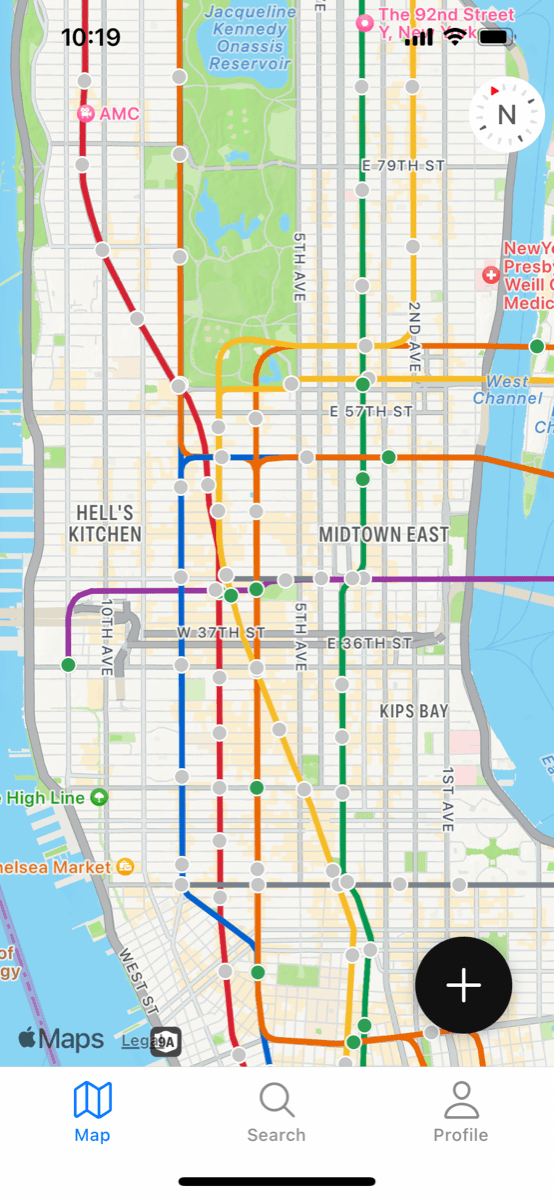
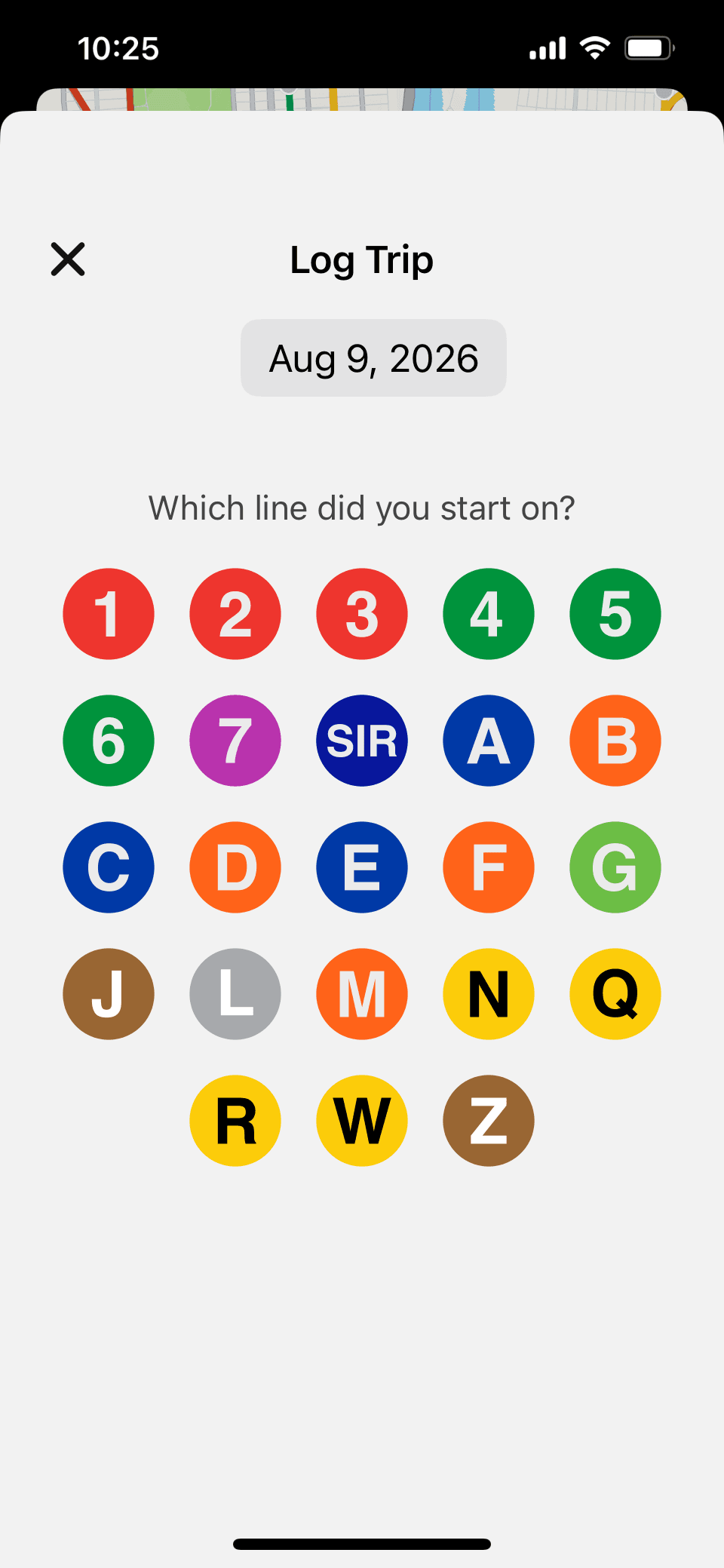
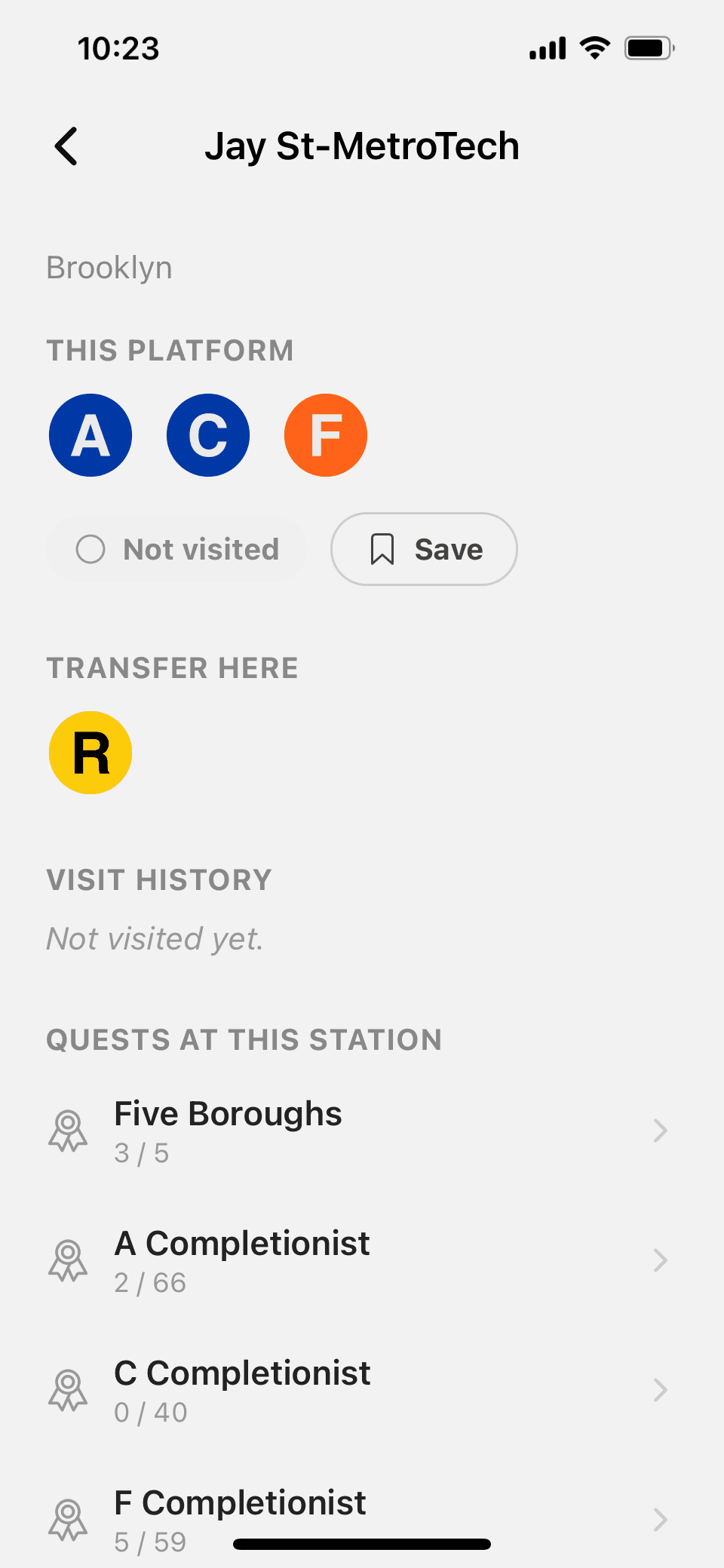
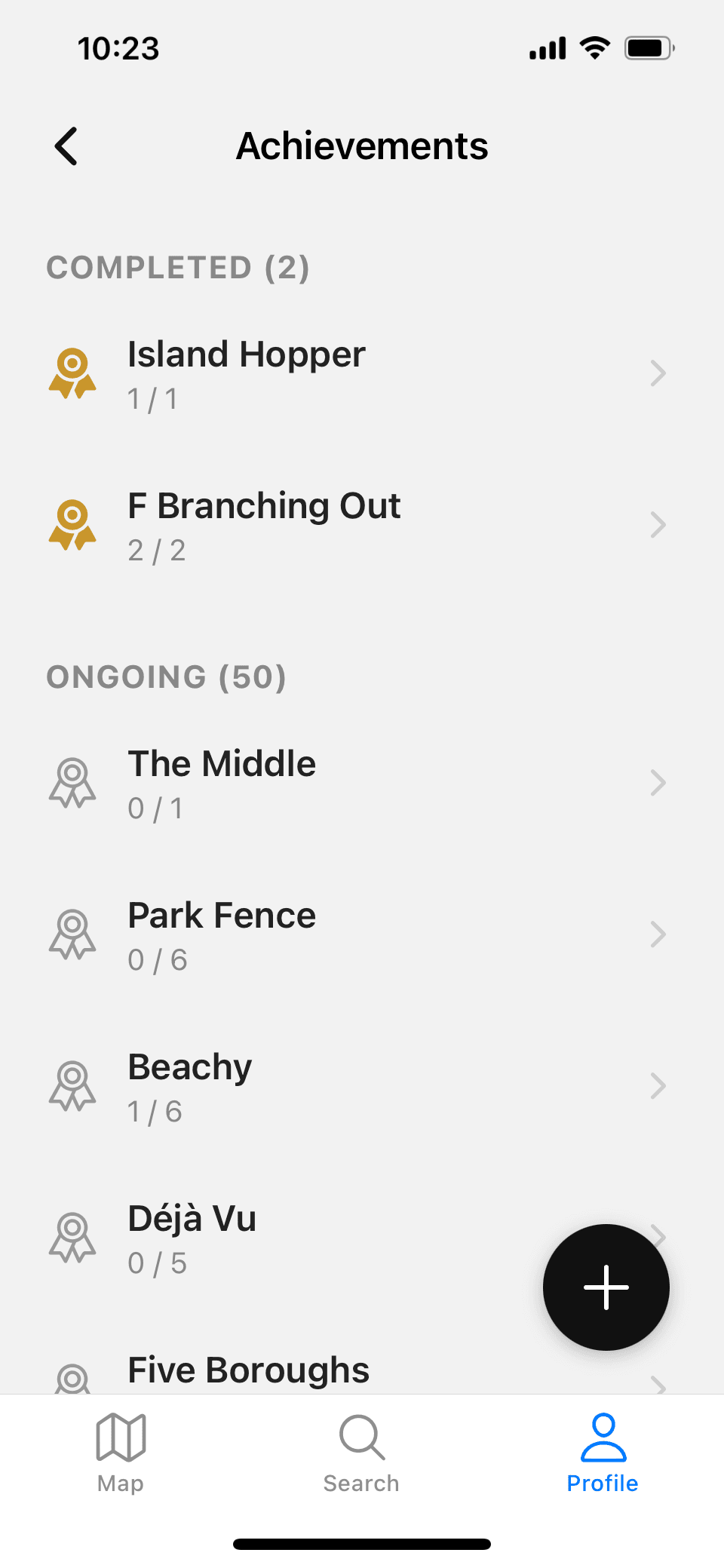
A quick look at the app itself before getting into how it's built — the map, logging a ride, a station's detail page, and progress toward its quests.
Stack
 React Native
 TypeScript
 SQLite
 Supabase
 PostgreSQL
 Python
 GitHub Actions
 BigQuery
 dbt
dbt Power BI
- Client: React Native, Expo, TypeScript, on-device SQLite
- Auth / sync: Supabase (Postgres, Auth, Row-Level Security)
- Data pipeline: Python, GitHub Actions (scheduled + manual triggers)
- Warehouse: BigQuery, dbt (staging → intermediate → mart)
- Dashboard: Power BI (Publish to Web)
- Source data: MTA GTFS feed, MTA Stations/Complexes reference data, NYC DCP neighborhood boundaries
The Data Story
Two data systems live side by side in this project, and they barely talk to each other. One answers "how does the app know the subway?" — public transit data, transformed once, compiled directly into the app, working fully offline. The other answers "how does the app know you?" — every ride you log, flowing continuously through a scheduled pipeline into a warehouse and a public dashboard, whether anyone is watching or not.
How the app knows the subway
Public MTA reference data and the GTFS schedule feed are transformed once by build_static_data.py — cross- validating routes against an independent source and collapsing raw trip patterns down into real branches — into a set of JSON files. Those get copied into the mobile app and compiled directly into the binary. Nothing about browsing the map or checking a station's status ever touches the network; the whole system works the same in airplane mode as it does anywhere else.
How the app knows you
Every ride is logged locally first, then synced to Supabase. A Python job scheduled on GitHub Actions pulls new events into BigQuery every six hours, using a watermark so it only ever loads what's new. From there, dbt cleans, deduplicates, and privacy-suppresses the data before it ever reaches the public Power BI dashboard — a continuous, always-on pipeline running whether or not anyone is watching.
The two systems almost never touch. The one narrow exception: if someone reinstalls the app, their own history gets replayed back out of Supabase into local storage, one time, on sign-in.
Engineering Decisions
Events Are the Source of Truth — Not Trips
Every ride is logged locally as an append-only sequence of raw events. The trip/leg records shown in the app aren't stored directly; they're rebuilt from that event log every time. If the projection logic ever needs to change, the history to rebuild it from is already there.
The Subway Map Is Offline By Design
Public MTA/GTFS data is transformed once into JSON and compiled directly into the app binary at build time. Nothing about browsing the map, viewing a line, or checking a station's status requires a network connection — connectivity is only needed to sync your own ride history.
Physical Stations and Platforms Are Modeled Separately, on Purpose
A "station complex" (the physical place a rider would call a station) and an individual platform (stop_id) are different grains in the data, and the app uses each deliberately: whether you've personally visited a platform is tracked at the finer grain, but which routes you can transfer to from a given spot — and whether a quest counts as complete — is evaluated at the complex level, because that's the grain that actually matches how a rider experiences the place.
Dev and Test Data Never Reach the Public Dashboard
Every event generated in a development build is stamped at creation time and filtered out before it reaches the warehouse's aggregate models — so testing the app never pollutes the real, public-facing numbers.
Live Data Loads Incrementally, Not by Full Reload
The pipeline that moves ride events into the warehouse runs as a stateless scheduled job with no persistent memory between runs — so instead of re-pulling everything each time, it asks the warehouse what the newest record it already has is, and only pulls what's newer.
Aggregate Metrics Are Privacy-Protected by Design
The public dashboard enforces a minimum-count threshold on every metric it shows, so no chart can ever be read back down to reveal a single user's individual activity.
Bugs Found & Fixed
None of these were caught because something visibly broke. Each one was caught by a check built specifically to verify an assumption — before it became a real problem.
Trains Labeled as the Wrong Line
A handful of scheduled train trips in the raw MTA data were tagged with one line's identifier but everything else about them — their route shape, their final stop, their destination name — clearly belonged to a different line. Left alone, this would have made at least one real station (4 Av-9 St) falsely appear reachable by trains that never actually stop there. Caught by cross-checking every trip against an independently-sourced list of which lines actually serve which stations, and only trusting trips both sources agree on.
One Visit, Credit for Every Line
Big transfer hubs — stations where five, six, sometimes eight different lines share a platform — were initially granting "you've ridden this line" credit for every line at the hub from a single visit via just one of them. Caught by validating quest logic against ground truth rather than trusting it worked. The fix treats "visited" as a (station, specific line) pair rather than just a station, so credit only applies to the line you actually rode.
Privacy Protection That Quietly Turned Itself Off
The dashboard suppresses any metric covering fewer than five people — applied directly to the warehouse tables by hand. But the automated pipeline rebuilds those same tables from scratch on every scheduled run, and a rebuilt table doesn't carry forward protections that were applied to the old one. Every run since launch had been silently recreating the suppressed tables without the suppression — no error, nothing visibly broken. It only surfaced because of a routine check confirming the protection was still in place after a rebuild. The fix: reapply the privacy rule automatically as a required last step of every pipeline run, and verify it took effect immediately after, every time.
One Signed-In Device, Two People's Data
The on-device database is shared by whichever account is currently signed in — it isn't wiped and rebuilt per user, only per device. Testing with a second real account on the same phone surfaced a genuine problem: without a way to tell whose data was whose, a second account signing in could see the first account's saved stations, and stale data from a previous account never triggered the reset meant to catch it. Chasing that down surfaced a second bug in the same corner: two independent parts of the app could open a database transaction against each other at the same time, which the local database doesn't support — corrupting the local data outright. The fix: wipe and rebuild local data whenever the signed-in account changes, and add a lock so only one part of the app can touch the database at a time.
A Database Rename That Quietly Broke a Different Table
Rebuilding a table mid-migration seemed straightforward — set the old one aside, build the replacement under the real name, copy the data over. But the on-device database doesn't just track the table being renamed; it silently updates every other table's stored reference to point at the new name too, including a foreign key on a completely different table that was never touched directly. Once the old table was cleaned up, that reference pointed at nothing — and it only broke on a device that had actually been through a real migration, never on a fresh install. A dedicated test simulating an already-migrated device caught it before it ever reached a real phone. The fix: never rename an existing table away — build the replacement under a temporary name and rename it into place only once, at the very end.
How I Built This
I built Subway Quest working closely with Claude throughout — not as autocomplete, but as a technical collaborator I directed the way I'd work with a strong pair. I wrote living design docs as I went (architecture, data model, a running build log broken into milestones), used them as the shared spec for every session, and reviewed and corrected the actual output at every step rather than accepting it wholesale.
I think being open about this matters. Knowing how to direct an AI collaborator well — writing down constraints clearly, breaking ambitious work into reviewable milestones, catching what it gets wrong, knowing which decisions are yours to make and holding onto them — is a real, current skill, not a shortcut around having one. The bugs in the section above, the architectural tradeoffs above that, were things I had to understand and choose, regardless of who typed the fix. I'd rather show that process than pretend it wasn't part of how this got built.
What's Next
- Recruiting a broader tester group beyond the current TestFlight pool
- Continuing to collect feedback from test users and implementing their suggestions
- Official App Store submission